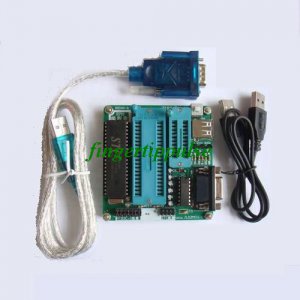
Product features:
1. Use serial communication, chip automatically recognize, programming in the process of writing, and erased, checking various operation completely by the programming of the device on the monitoring chip control, from PC configuration and the influence of the main frequency.
2. Adopting high speed data transfer baud rate, by test, and write a 4 K ROM AT89C51 need only 9.5 S, and read and check need only 3.5 S.
3. Small size, save the heavy external power adapter, use directly to the USB port 5 V power supply, easy to carry, very suitable for beginners learn 51 SCM requirements.
4. Software friendly interface, menu, toolbars, shortcut is complete, the entire Chinese operation, provide encrypted function, can protect your creative property rights. Can say is although spadger is small, completely of the taste!
5. The perfect function, with programming, read, calibration, empty examination, erase, encryption, etc series function;
6.40 pin and 20 pin lock socket, all in the first foot all devices align, no additional jump line, DIP encapsulation chip for without any adapter.
7. USES the high quality lock socket, and contact with poor said goodbye, can burn completely written 40 feet single-chip microcomputer chip and 20 feet single-chip microcomputer chip
8. Improved and write to ensure that every depth a C51 series of chips and write to burn times above 1000!!!!! Internal data for at least 10 years.
Hardware connection:
1. Communication cable and programming console connected and
2. Will plug into the computer serial ports, serial port
3. USB plug into the computer as a USB port, this time the programmer LED1 light, show that the power supply is connected.
4. Then install software, the software support Win9x/me / 2000 / XP, standard Window interface. After installing the software, the operation Easy 51 Pro program can.
Four, the software use
After starting the program, will automatically detect hardware and connectivity, and state box shows "ready", "said programming the connecting and set all normal. Otherwise please check the hardware even? Harmony silk Man suggestion for you?
The single-chip microcomputer chip correctly on the programmer socket, corresponding attention, chips to the handle towards the socket gap direction.
Chip put, can on chip for reading and writing, reading and writing operation operation in the following steps:
1, to run the program, please select devices (bit marquee)
2, with "open files" choose to open to write. HEX and. A binary
3, with "save the file to save the file read out
4, with "erased device" erased chip
5, with "write device" programming
6, with "read the device" read the encrypted chip program, read out
7, with "verify data" to check the programming is correct or not
8, with "automatically" automatically execute all of these steps
9, with "encryption" choose encrypted series
51 Pro serial programmer use figure
The first step: connect the programmer:
Must appear "programmer ready" clew, just connect normal!
Once the connection is not normal, check the connecting programming outside, should check software Settings:
Software installed interface (after setting, the software will retain the current setting value as a default value; the next time can repeat setting)
The second step: setting device type:
The show for help, and the right type must insert set chip types consistent!
If the above two steps through, so congratulations you:
Your 【 SP-51 Pro serial programmer 】, have and computer connection success!
After the operation, is normal work process la la la la la la...
Remind you use process of attention among is:
1, general should be to connect the communication cable, to connect the power cable.
2, 10 million note: chip into correct direction and contact of the good!!!!!!!
USB 232 serial line installation and use
Find USB 232 folder, double click to open the folder, find R340 folder, double click to open, double click install HL-340,, according to the installation wizard tips can be installed step by step.
After successful installation, the USB turn serial line inserted into the USB port of computer, continue to complete the installation. Can the desktop mouse on my computer--right--attributes-hardware-device manager, can see the USB-SERIAL CH340 (COM4), pay attention to the USB port of different, insert, display is not necessarily COM4, also may be COM3 or other.
TE55